Capture: Insert a Related Notes Base into an MOC Note
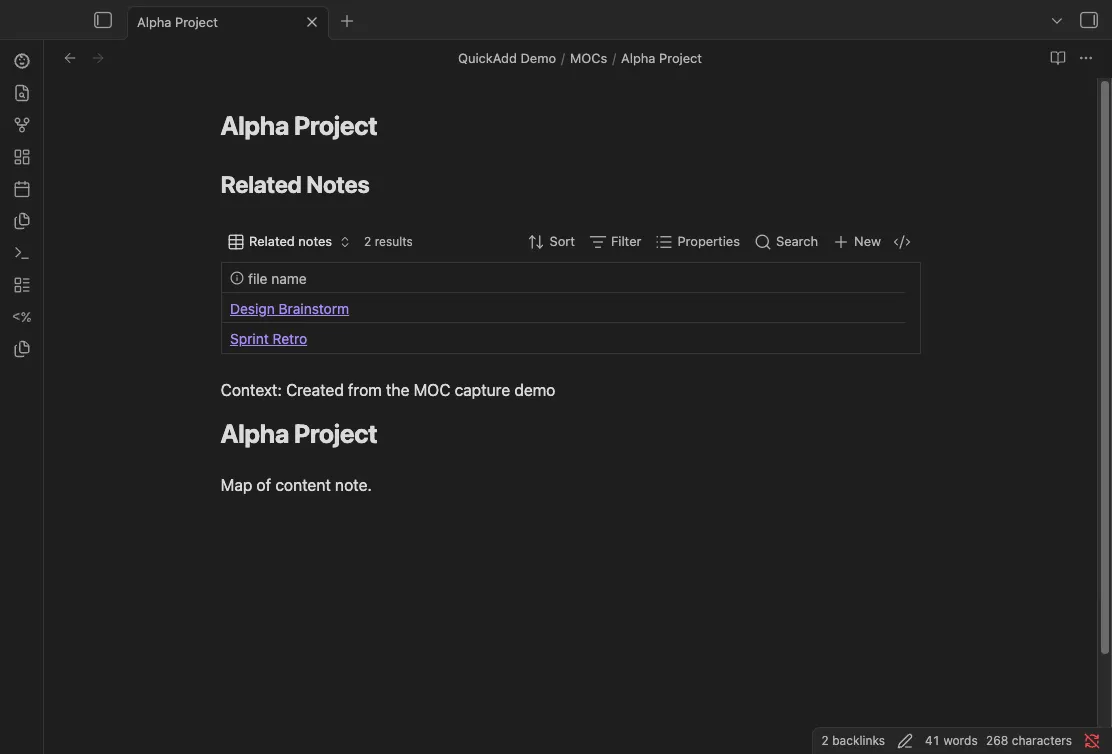
You end up with one QuickAdd command that inserts a live “related notes” Base view into whichever map-of-content (MOC) note you have open. The table shows every note that links to that MOC and updates itself as your vault changes.
Prerequisites
Section titled “Prerequisites”- Obsidian’s Bases core plugin enabled (it renders
.basefiles). - A markdown note to run the capture from, such as your MOC note.
Why this pattern
Section titled “Why this pattern”Capture does not write directly to .base files, but it can still pull content
from a .base template and insert that content into the active markdown note.
This is useful for MOCs where you want a note-local index of backlinks.
Imported the package above? Follow After importing in the card; the steps below build the same choice by hand.
- Create a
.basetemplate file, for exampleTemplates/MOC Related Notes.base:
filters: and: - 'file.ext == "md"' - "file.hasLink(this.file)" - "file.path != this.file.path"views: - type: table name: Related notes- Create a Capture choice.
- Enable Capture to active file.
- Set Write position to Top of file (after frontmatter).
- (Before QuickAdd 2.30.0, turn on the Capture format toggle first.) In Capture format, reference your
.basetemplate with an explicit file extension:
Example:
## Related Notes
```base{{TEMPLATE:Templates/MOC Related Notes.base}}```
Context: {{VALUE}}- Run the Capture choice while your MOC note is active
(for example
MOCs/Alpha Project.md).
QuickAdd reads the .base template and inserts its content into the active note.
Because the base view is embedded in that note, this.file points at the MOC,
so the table shows notes that link to that specific MOC.