
Template: Add an Inbox Item
This example gives you a QuickAdd choice that creates a new inbox note in one step. QuickAdd asks you for a short name, then makes a note whose file name is the current date and time followed by what you typed - so every capture lands in your inbox as its own dated note, ready to process later.
Before you start
Section titled “Before you start”- A template note you want each inbox item to start from. The package includes the one below as
Templates/Inbox Template.md. Building by hand? Save it yourself, or use any note: a template can be as simple as an empty file or contain any format placeholders you like.
---created: {{DATE:YYYY-MM-DD HH:mm}}tags: [inbox]---# {{NAME}}Imported the package above? Follow After importing in the card, then skip the manual setup below and read What you get.
-
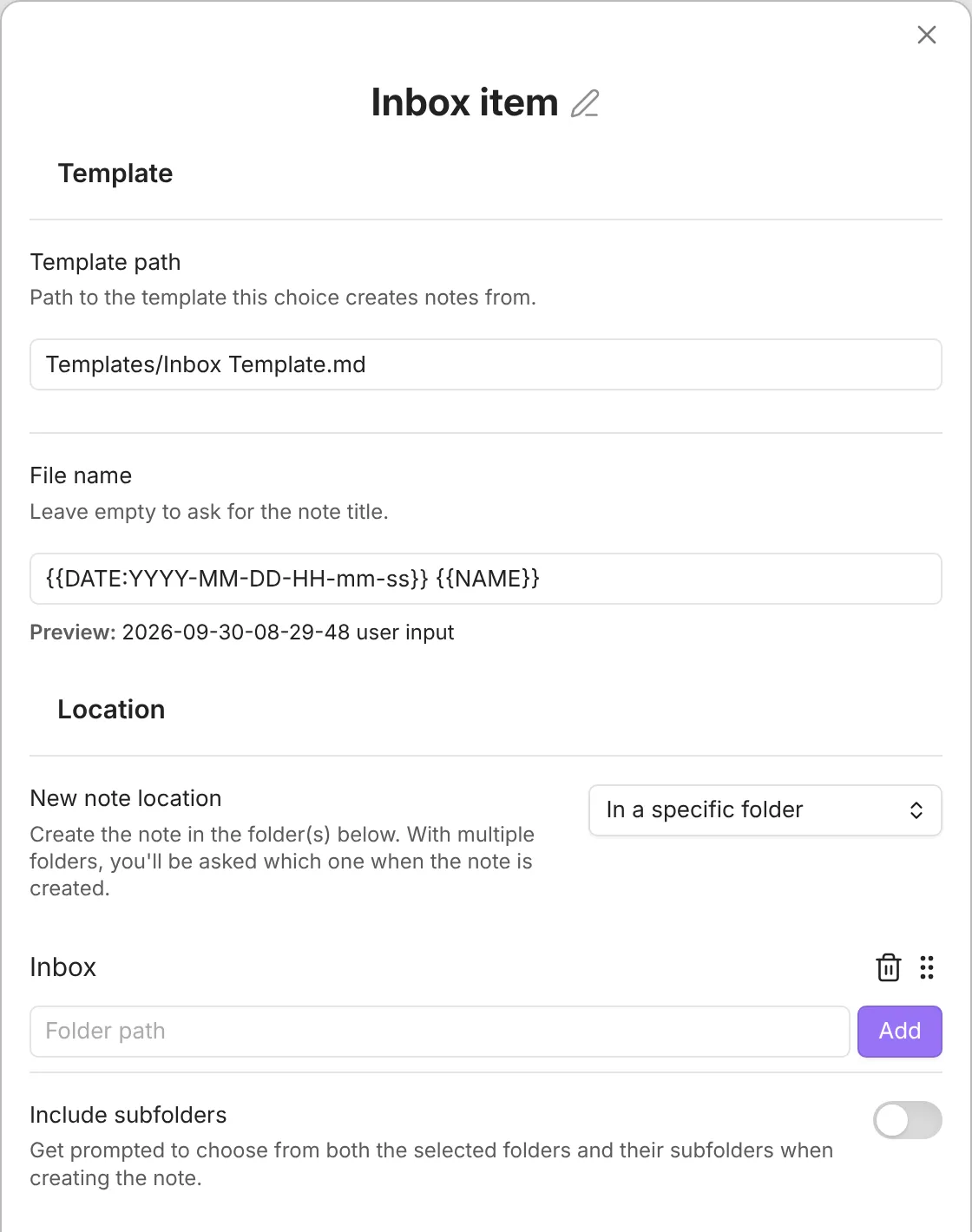
In Settings → QuickAdd, click New choice → Template. The Template choice settings open; click its name at the top to rename it (for example,
Inbox Item). For a full tour of these settings, see the Template choice docs. -
Set Template path to your inbox template:
Templates/Inbox Template.md -
Set File name to (before QuickAdd 2.30.0, this is File name format; turn its toggle on first):
{{DATE:YYYY-MM-DD-HH-mm-ss}} {{NAME}}{{DATE:YYYY-MM-DD-HH-mm-ss}}becomes the current date and time down to the second, and{{NAME}}becomes whatever you type when the choice runs. Together they keep every inbox note uniquely named and in date order. -
Set New note location to In a specific folder, enter
Inboxin Folder path, and click Add. Set the remaining options to your liking.
What you get
Section titled “What you get”Run the choice and type a short name, such as call dentist. QuickAdd creates a note named like 2026-07-08-14-30-05 call dentist.md from your inbox template.